


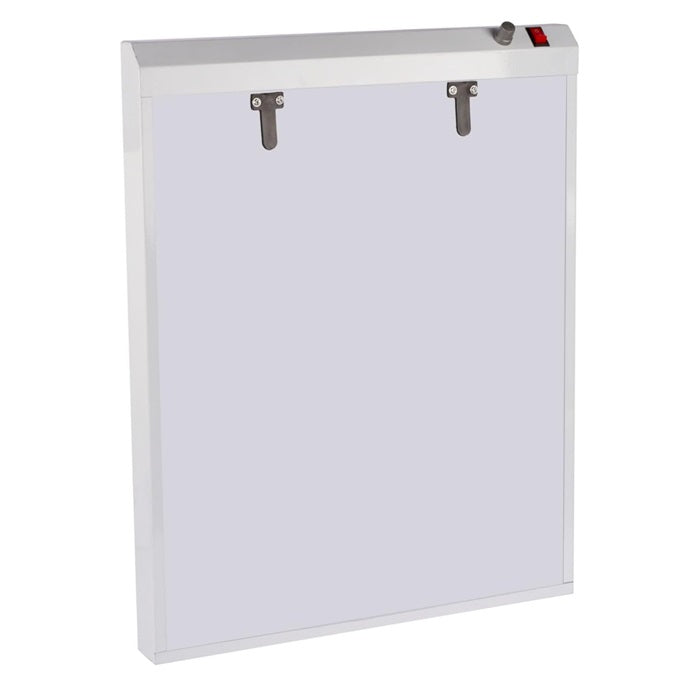
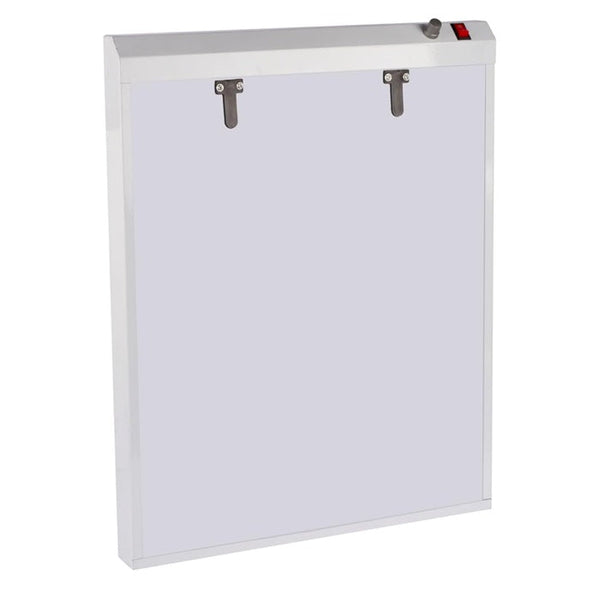

X Ray View Box | LED & Fluorescent X-Ray View Box
Best Practices for Using X-Ray View Boxes
A well-used X-ray view box helps clinicians, technicians, educators, and students review films with consistent brightness, clean contrast, and less visual strain. Whether the setting is radiography, dentistry, orthopedics, veterinary care, training, or general medical imaging support, the goal is the same: make the image easier to inspect without adding glare, shadows, or distractions. This guide covers practical best practices for using X-ray view boxes, including placement, illumination, cleaning, film handling, and the differences between LED and fluorescent models.

What is an X-ray view box?
An X-ray view box is an illuminated panel used to view radiographic film by shining even light through the image from behind. Also called an x-ray viewer, radiology light box, view box x ray, or X Ray View Box, it gives film-based images a stable background so details can be examined more clearly than they could be under room lighting. Modern options range from a compact Premium LED X Ray View Box for Single Film Viewing to larger multi-panel units that can display several films at once.

The main purpose is not to diagnose by itself; it is to support careful visual review. A good viewing box helps maintain consistent illumination across the film, reduces visual noise, and lets the observer compare anatomy, density, positioning, and image quality more comfortably. In practices that still use physical films, it remains a useful everyday tool even as digital imaging becomes common.
A digital x ray view box may refer to a viewer designed for digitized images, a display used alongside digital systems, or a product described that way for modern clinical workflows. However, a traditional illuminated box is primarily for physical film, while digital radiography is usually reviewed on calibrated monitors. Knowing that distinction helps buyers choose equipment that matches their actual imaging process.

The viewing environment matters as much as the box
Even a high-quality x ray led view box can perform poorly if it is installed in the wrong place. Bright windows, reflective walls, overhead glare, and cluttered viewing areas all make films harder to read. The best setup gives the viewer a controlled background with enough room to position film flat, compare images, and step back when needed.
Wall-mounted units are popular because they save counter space and keep the viewing height consistent. A product described as an LED X Ray View Box Single Film Wall Mounted can be useful where a single film is reviewed frequently and a fixed, tidy setup is preferred. Portable or tabletop viewers may be better where the box must move between rooms, though they still need a stable surface and reliable power access.
A comfortable viewing area should allow the user to stand or sit with relaxed shoulders, a neutral neck position, and minimal reaching. This is especially important in high-volume environments where repeated film review can create fatigue. Good ergonomics do not make the image sharper, but they help the viewer pay attention longer and reduce the urge to rush.
Practical setup checklist
Before relying on any X ray view box for routine use, check the viewing area as carefully as the device itself:
-
Control ambient light. Avoid direct sunlight, strong overhead glare, or highly reflective surfaces near the viewing panel.
-
Set the correct height. Position the center of the illuminated area near the typical viewer’s eye level when possible.
-
Keep the surface clean. Dust, tape residue, fingerprints, and smudges can mimic image artifacts or hide small details.
-
Use nearby film storage. Films should be easy to access without bending, stacking carelessly, or touching image areas unnecessarily.
-
Provide enough space. Leave room for comparison studies, notes, protective sleeves, or multiple views when needed.
-
Check power safety. Cords, switches, and mounting hardware should be secure, accessible, and away from wet areas.
These basics are simple, but they have a large practical impact. Many viewing problems blamed on the film or the box are actually caused by poor room conditions.
Uniform Illumination is the core performance feature
Uniform Illumination means the viewing surface provides even brightness across the usable panel area. This matters because uneven light can make one part of a film appear denser or lighter than it really is. When illumination varies noticeably from center to edge, the viewer may unconsciously compensate, which can make side-by-side comparisons less reliable.
For radiographic film, the panel should light up smoothly without dark corners, bright hotspots, striping, flicker, or color shifts that distract the eye. The term illumination may sound basic, but it is the heart of the device. A premium panel is valuable because it supports more consistent viewing, not simply because it looks modern.
This is one reason many practices consider a Premium LED X-Ray View Box or other x ray view box premium led design for clarity. LED designs are often chosen for slim construction, fast startup, low heat, and consistent brightness. Older fluorescent models can still be useful when maintained properly, but lamps may age unevenly and require periodic replacement.

LED and fluorescent view boxes each need the right use
The phrase led & fluorescent x-ray view box covers two broad categories of film viewers. Fluorescent units use tubes or lamps behind a diffusing panel, while LED units use light-emitting diodes arranged to spread brightness across the viewing surface. Both can work, but they behave differently over time and require different maintenance habits.
LED models are common in newer clinics because they are slim, energy-efficient, and usually quick to illuminate. A led x ray view box may also generate less heat at the panel, which can make prolonged use more comfortable. Many LED models are designed with a clean, premium appearance, which is why phrases such as Premium LED X-Ray View Box and x ray led view box often appear in product descriptions.
Fluorescent view boxes may still be found in established practices, training labs, and facilities that have used film for years. They can provide effective backlighting when bulbs are fresh and the diffuser is clean. However, users should watch for flicker, dimming, delayed startup, inconsistent color, and worn panels.
LED vs. fluorescent considerations
|
Feature |
LED view box |
Fluorescent view box |
|---|---|---|
|
Startup |
Usually instant or near-instant |
May take time to reach stable brightness |
|
Heat |
Often lower at the panel |
May become warmer during longer use |
|
Maintenance |
Typically less frequent lamp attention |
Tubes or starters may need replacement |
|
Profile |
Often slim and lightweight |
Often deeper or bulkier |
|
Viewing quality |
Depends on diffuser and LED arrangement |
Depends on tube condition and diffuser quality |
|
Best fit |
Modern film review areas, compact rooms, wall mounting |
Existing setups, budget-conscious replacement, legacy systems |
The better choice is the one that supports consistent viewing in your setting. A well-maintained fluorescent unit can outperform a poorly made LED unit, and a quality LED unit can reduce maintenance and improve convenience.
Film handling protects the image before viewing begins
The view box cannot compensate for film that has been scratched, bent, stained, or handled carelessly. Good image review starts with clean hands, controlled handling, and proper storage. Films should be held by the edges whenever possible so fingerprints do not interfere with the viewing area.
Avoid sliding films across rough counters, stacking them without protection, or placing them near liquids. If film jackets or sleeves are used, keep them clean and replace damaged ones. In teaching environments, where the same films may be reviewed many times, handling discipline is especially important.
Film should be placed flat against the illuminated surface. Clips, rails, or magnetic holders can help, but they should not cover important anatomy or create pressure marks. If the viewer is comparing multiple films, align them consistently so the eyes can move naturally from one image to the next.
Basic film handling steps
-
Inspect the view box first. Make sure the panel is clean, fully lit, and free of obvious marks.
-
Handle film by the edges. Keep fingers away from diagnostic areas and image borders when possible.
-
Orient the image correctly. Confirm left/right markers, anatomical position, and study sequence before review.
-
Secure without obstruction. Use clips or holders only where they do not cover relevant details.
-
Compare in a logical order. Arrange current and prior images, or multiple views, so the review pattern is consistent.
-
Return films safely. Store them flat or in appropriate jackets to prevent damage.

These habits are small, but they preserve the image and make each review more efficient.
What is a 4 view X-ray?
A 4 view X-ray generally means a radiographic exam made up of four separate views or projections of the same region, often taken from different angles to show anatomy more completely. The exact views depend on the body part, clinical purpose, and imaging protocol, so the phrase should not be treated as one universal exam. In the context of a view box, four-view studies require enough illuminated space to compare multiple films without constantly swapping them in and out.
This is where larger viewing panels or multi-film boxes become helpful. If the practice often reviews several films together, a single-film viewer may feel limiting. A double-film or four-panel setup can support side-by-side comparison, especially when looking at sequences, bilateral anatomy, or current and previous films.
Some buyers ask, “What is a 4 view X-ray?” when they are really trying to understand whether a view box can display four films. That is a different question. A four-view imaging study describes the number of radiographic projections, while a multi-view box describes how many films the device can display at one time.
Choosing the right size for your workflow
“What are the dimensions of the X-ray view box?” is a common buying question, but there is no single answer that fits every model. Dimensions depend on whether the unit is designed for single film, double film, panoramic dental film, or multi-panel viewing. Instead of guessing, measure the film sizes your practice uses most and compare them with the illuminated viewing area, not just the outer frame.
A compact X Ray View Box Single Film model is suitable for spaces where one image is reviewed at a time. A larger model, such as a PrimeSurgicals Premium LED X-Ray View Box (Double Film), may be more useful where comparison viewing is routine. The key is to choose a box that fits your actual films with enough margin for clips, borders, and comfortable alignment.
For small rooms, a wall-mounted single-film model can keep the work area uncluttered. For imaging departments, teaching labs, or specialty clinics, a multi-film layout may be more efficient. If users frequently view M.R.I, C.T. and X Ray images. in printed film format, a wider illuminated surface may reduce the need to reposition films during review.
Sizing questions to answer before buying
Use this checklist to narrow the choice without relying on vague product labels:
-
What film sizes are used most often in the facility?
-
Is the box for one viewer or a group discussion area?
-
Will films be reviewed one at a time or compared side by side?
-
Is wall mounting preferred, or is portability important?
-
Is the available power outlet close enough for safe installation?
-
Does the frame allow easy film placement and removal?
-
Is the illuminated area large enough, not just the external casing?
-
Will dental, orthopedic, chest, or specialty films require different proportions?
The right dimensions are workflow-specific. A small viewer may be perfect for quick single-x-ray checks but frustrating for comparison-heavy review.
Dental viewing needs clarity in a smaller format
A dental x ray view box is often smaller than a general radiology viewer, but the expectations for clarity are still high. Dental x-ray may be compact, detailed, and frequently reviewed close to the eyes. Uneven illumination, surface dust, or glare can become especially distracting when viewing small anatomy and fine contrast differences.
Dental practices should consider where the box will be used during patient consultation, chart review, or clinical evaluation. If the unit is visible to patients, a clean and modern design can also support a professional environment. A compact Premium LED X Ray View Box for Single Film Viewing may fit well in a treatment room, while a larger viewer may be useful in a central review area.
Because dental workflows often involve fast transitions between patients, the box should be easy to clean and quick to activate. Controls should be intuitive, the panel should not require warm-up time, and the x-ray holder should allow one-handed placement when appropriate. Convenience matters because equipment that is awkward to use often gets bypassed.
Mounting and placement affect everyday usability
A view box should be positioned where it naturally supports the work being done. In a clinical room, it may need to be close to the patient chair, exam table, or workstation. In a reading or consultation space, it may need to be placed where multiple people can see it without crowding.
Wall mounting is common for a single-x-ray LED viewer because it saves counter space and keeps the panel stable. However, installation should be secure and appropriate for the wall structure. If the model is moved often or shared between rooms, a portable viewer may be more practical than permanent mounting.
Avoid placing the box too high, too low, or in a corner where the user must twist to see it. If more than one person will use the viewer, choose a height that works for the primary users, or place it in a location where posture can be adjusted easily. Small ergonomic decisions become important when the device is used many times a day.

Brightness control should support the x-ray, not overwhelm it
More brightness is not always better. The goal is useful illumination that allows details to be seen comfortably without washing out the image or creating eye strain. If the view box has adjustable brightness, users should set it for the type and density of x-ray being reviewed.
Dense x-ray may require stronger backlighting, while lighter x-ray may be easier to review at a lower setting. If the panel is too bright for every x-ray, the viewer may lose subtle contrast or experience fatigue. If it is too dim, details may be hidden and the observer may lean in, squint, or spend too long compensating.
Brightness should also be assessed across the full viewing area. A box that seems bright in the center but weak at the corners can make peripheral anatomy harder to evaluate. This is why illumination uniformity and diffuser quality matter as much as maximum brightness.
Signs the brightness is not working well
Watch for these practical warning signs during use:
-
Users frequently squint, lean in, or move the film around to see details.
-
The center of the panel appears much brighter than the edges.
-
Films look different depending on where they are placed on the box.
-
The panel flickers, pulses, or changes brightness after warming up.
-
The diffuser has yellowing, scratches, stains, or cloudy patches.
-
Users prefer another room or another viewer for “important” films.
If these problems appear, the solution may be cleaning, maintenance, lamp replacement, or upgrading to a better viewer.
Cleaning should be gentle, regular, and documented
Cleanliness is one of the easiest best practices to overlook. A smudged viewing surface can introduce shadows, streaks, and distracting marks. In shared clinical areas, regular cleaning also supports a more professional and hygienic work environment.
Use cleaning methods compatible with the manufacturer’s instructions for the specific device. Avoid harsh abrasives that can scratch the diffuser, and do not soak the panel or allow liquid to enter the frame, switches, or electrical parts. A soft cloth and appropriate cleaner are usually safer than rough towels or aggressive chemicals.
A simple cleaning schedule helps prevent buildup. For high-use areas, the panel may need attention daily or between heavy sessions. For lower-use rooms, a weekly check may be enough, but visible dust or fingerprints should be removed before reviewing x-ray.
Cleaning and care checklist
-
Turn the unit off before cleaning when appropriate.
-
Let the surface cool if the model becomes warm during use.
-
Use a soft, lint-free cloth to prevent scratches.
-
Follow the manufacturer’s recommended cleaning solution.
-
Avoid spraying liquid directly into seams, switches, or clips.
-
Remove tape residue carefully so the diffuser is not damaged.
-
Check holders, clips, and rails for dust and wear.
-
Record recurring problems so maintenance is not forgotten.
Clean equipment supports clearer viewing and reduces avoidable distractions.
Maintenance keeps illumination consistent over time
An X-ray view box is simple to use, but it should not be ignored until it fails. Routine maintenance helps preserve brightness, uniformity, and electrical safety. Even LED models, which are often marketed as low-maintenance, still need inspection for panel condition, mounting security, switch function, and power cord integrity.
Fluorescent models need additional attention because bulbs can dim or shift color as they age. If one tube is weaker than another, the panel may develop bands or uneven sections. Replacing lamps in matched sets may help maintain consistency, depending on the design.
Maintenance should include observation during startup and normal use. A box that flickers only for a moment may still be signaling an aging lamp, loose connection, or component issue. Any electrical smell, heat concern, damaged cord, or unstable mounting should be addressed promptly by qualified personnel.
Image comparison requires order and consistency
Many clinical reviews involve comparison rather than single-image viewing. The user may compare current and previous studies, right and left sides, multiple projections, or sequential images. A good view box setup supports that comparison by keeping images aligned and evenly lit.
Place x-ray in a consistent order that matches the workflow. For example, prior images may be placed to one side and current images to the other, or views may be arranged according to the exam protocol. The exact layout depends on the setting, but the important point is to avoid random placement.
When x-ray are constantly moved or overlapped, comparison becomes slower and more error-prone. A double-x-ray or multi-panel viewer can reduce handling and keep relationships between images clearer. If comparison is frequent, the cost and space of a larger viewer may be justified by smoother workflow.
How many types of X-ray views are there?
There are many types of X-ray views because radiographic projections vary by body part, patient position, beam direction, and clinical purpose. Common categories include frontal, lateral, oblique, and specialized projections, but the exact number is not fixed across all of radiography. For view box planning, the practical question is not only how many types of X-ray views are there, but how many x-ray your team needs to see together during a normal review.
A clinic that mostly reviews single images may not need a large multi-x-ray viewer. A facility that regularly compares multiple projections may benefit from a larger radiology light box or a double-x-ray premium LED model. Matching the viewer to the viewing pattern prevents unnecessary x-ray handling and makes the review process more comfortable.
This is also where staff input is valuable. The people who use the viewer daily can explain whether they need more width, better clips, a brighter panel, dimming control, or a different mounting location. Their practical feedback often reveals needs that product descriptions do not.
Product descriptions should be read carefully
Search phrases and product names can sound similar even when devices are different. For example, LED X-Ray View Box (Deluxe) - Soclean, Premium LED X-Ray View Box, LED X Ray View Box Single Film Wall Mounted, and PrimeSurgicals Premium LED X-Ray View Box (Double Film) all suggest LED-based viewing products, but the real differences may include size, mounting style, brightness control, x-ray capacity, frame material, and power requirements. Buyers should review actual specifications before choosing.
The same caution applies to phrases such as digital x ray view box or x ray view box premium led design for clarity. These terms may describe a modern design or marketing position, but they do not automatically confirm the panel’s usable area, uniformity, or suitability for a specific workflow. A product name is a starting point, not a substitute for specification review.
When comparing options, separate essential features from nice-to-have features. Essential features include correct size, even illumination, safe installation, cleanable surface, and reliable x-ray holding. Nice-to-have features may include ultra-slim design, dimming, premium finish, or portability, depending on the setting.
A practical buying comparison framework
Use this framework to compare models without getting distracted by labels:
-
Film capacity: Single, double, or multi-x-ray viewing.
-
Viewing area: Usable illuminated dimensions, not just outer product size.
-
Illumination Technology: LED or fluorescent, with attention to uniformity and stability.
-
Brightness control: Fixed brightness or adjustable settings.
-
Mounting style: Wall mounted, tabletop, portable, or built-in.
-
x-ray retention: Clips, rails, magnetic strip, or gravity support.
-
Cleaning access: Smooth panel, minimal crevices, durable surface.
-
Electrical fit: Power requirements, cord length, switch location, and safety.
-
Workflow fit: Dental, general radiography, education, comparison viewing, or archive review.
This approach keeps the decision grounded in use rather than marketing language.
Digital imaging does not remove every use case for x-ray viewers
Many facilities now rely heavily on digital imaging systems, but x-ray viewing still exists in several practical situations. Older records, referral x-ray, printed teaching cases, backup workflows, and patient-carried images may still need an illuminated surface. A view box can also support education where instructors want students to understand x-ray density, projection, and positioning.
That said, a view box should not be confused with a diagnostic monitor. Digital images are best reviewed on appropriate displays within the relevant imaging system. A digital x ray view box may be useful in certain product categories or hybrid workflows, but physical x-ray and digital image review have different technical requirements.
For clinics transitioning from x-ray to digital, the best approach may be to keep a reliable x-ray viewer in a designated area rather than remove it completely. This prevents disruption when a physical x-ray arrives and gives staff a known place to review it properly. The device may be used less often, but when it is needed, it should still perform well.
Training improves consistency across users
A view box is straightforward, but consistent use still benefits from basic training. New staff should know how to turn the unit on, adjust brightness if available, clean the panel, position x-ray, and report problems. In teaching settings, students should also learn how viewing conditions affect image perception.
Training does not need to be complicated. A short demonstration can cover correct x-ray orientation, the importance of left/right markers, and how to avoid fingerprints or bending. It can also explain why x-ray should not be reviewed under random room light when a proper viewer is available.
Consistent habits are especially important in shared spaces. If one person leaves tape on the diffuser or stores x-ray loosely near the box, the next user inherits the problem. Clear expectations keep the viewer ready for everyone.
Suggested staff guidelines
Post or teach simple rules such as:
-
Use the view box for x-ray review instead of holding x-ray up to room light.
-
Clean visible smudges before placing a x-ray.
-
Place x-ray flat and avoid covering important areas with clips.
-
Keep current and comparison x-ray in a consistent order.
-
Report flicker, dim areas, loose mounting, or damaged cords.
-
Do not use the viewing surface as a shelf, writing board, or tape station.
-
Return x-ray to sleeves or storage after review.
These guidelines help turn good equipment into reliable daily practice.
Common mistakes reduce clarity and confidence
The most common mistake is treating the view box as background equipment instead of a viewing tool that needs care. If the panel is dirty, dim, uneven, or poorly located, image review becomes harder. Users may still get through the task, but the process is less comfortable and less consistent.
Another mistake is buying too small. A single-x-ray box is efficient for limited use, but it can slow down workflows that require frequent comparison. On the other hand, buying a large multi-panel viewer for a room that only needs quick single-x-ray checks can waste space and budget.
A third mistake is ignoring the viewing environment. Glare, clutter, and poor posture can undermine even a high-quality unit. The best results come from matching the box, room, x-ray type, and user habits.
Mistakes to avoid
-
Choosing by price or product name alone.
-
Ignoring usable illuminated area.
-
Using a scratched or stained diffuser.
-
Leaving old tape, labels, or residue on the panel.
-
Mixing weak and strong fluorescent tubes in the same viewer.
-
Mounting the box where glare is unavoidable.
-
Reviewing x-ray while the panel is only partially lit.
-
Assuming LED automatically means uniform illumination.
-
Using the view box for storage or paperwork.
Avoiding these mistakes improves daily usability without requiring complicated procedures.
Premium design should support real clarity
A premium design is valuable only when it improves the experience of viewing x-ray. Slim frames, clean finishes, and modern controls are helpful, but the fundamentals remain brightness, uniformity, durability, and workflow fit. A premium LED viewer should make x-ray placement easier, reduce visual distraction, and provide stable illumination across the panel.
When a product is described as a Premium LED X-Ray View Box, look beyond the phrase and ask what makes it premium. Is the light even? Is the panel easy to clean? Does it hold x-ray securely? Is the illuminated area suitable for your x-ray sizes? Does it fit the room without awkward cords or mounting problems?
The phrase x ray view box premium led design for clarity is most meaningful when clarity is supported by actual usability. A beautiful frame cannot compensate for poor illumination. A practical, well-positioned, easy-to-maintain viewer will serve users better than a decorative unit that does not match the workflow.
Best practices for using X-ray view boxes in daily work
The best practices for using X-ray view boxes combine equipment selection, clean handling, proper placement, and consistent maintenance. The box should be bright enough, evenly illuminated, correctly sized, and positioned in a controlled viewing environment. Users should handle x-ray carefully, align them consistently, and report any viewing problems before they become routine.
For everyday work, think of the view box as part of a complete viewing system. The x-ray, the panel, the room, the user’s posture, and the comparison layout all influence the final experience. Improving any one of these areas can make the review process smoother.
A single-x-ray LED viewer may be ideal for a compact clinic room. A double-x-ray model may fit a practice that frequently compares images. A dental x ray view box may prioritize compact clarity, while a larger radiology light box may support broader x-ray review. The right answer depends on the job the viewer must do.
Final takeaway
An X-ray view box is a simple device, but using it well requires attention to light, cleanliness, placement, x-ray handling, and workflow. Choose a viewer that matches your x-ray sizes and review habits, whether that means an X Ray View Box Single x-ray model, a double-x-ray premium LED unit, or a larger comparison setup. Keep the panel clean, check illumination regularly, and make sure users know how to position x-ray correctly.
When the viewing conditions are right, the box fades into the background and the image becomes easier to focus on. That is the real value of a well-chosen and well-maintained x-ray viewer: it supports clearer, more comfortable x-ray review every time it is used.
Explore Medical Collections
All Categories
Abdominal & Maternity Support

Accessories

Accu-Chek Instant Strips: Use, Compatibility, Price & Blood Sugar Testing Guide
Accu-Chek Instant Strips: Uses, Features & Complete Guide

accupuncture

Acupuncture Needles & Supplies

Advanced Physiotherapy Machines & Lumbar Physiotherapy

Airways

Alcohol Swab: Uses, Safe Use and Disposal Guide

Ambu Bag Full Form: Is There an Official Meaning?

Ambu Bag: Parts, Uses and Safety Guide

Ambu Full Form: What the Name Means and BVM Basics

Ambulance

Anatomy Models
Anesthesia Machine